
Setting up Dataform Repository actAs Permissions

What Is actAs In Google Cloud?
In Google Cloud Platform, the actAs setting in Dataform defines which service account the Dataform workflow will use to execute actions such as running SQL queries or writing to BigQuery.
It’s a way to control permissions securely, instead of using the default account tied to a user or workspace, Dataform can “act as” a specified service account that has the right roles and access to datasets, tables, or other resources.
Why Do I Have To Update My Dataform Repository Regarding actAs?
Google announced that Dataform will start enforcing stricter actAs checks.
From January 19, 2026, all new repositories must meet the new “strict act-as” requirements.
Between April 29 and July 31, 2026, this enforcement will gradually apply to all existing repositories.
What Happens If I Don´t Update My Already Existing Repository To Enforce actAs?
You need to take action before these dates by making sure your Dataform workflows use a valid actAs configuration.
Otherwise, your Dataform runs may fail once the change takes effect.
How To Update Your Dataform Repository To Enforce actAs
To enable actAs in your Dataform setup:
- Start by creating a new custom Service Account with the necessary permissions for Dataform, BigQuery, and Secret Manager.
- Next, give the built-in Dataform service account access to use this new service account.
- Then, enable actAs enforcement in your Dataform repository and assign your custom service account as the default.
- Finally, update your Git token secret in Secret Manager by granting both the built-in Dataform service account and your custom service account access to it.
Once these steps are complete, your repository will securely run using the new actAs permissions.
Create A New Custom Service Account
First, you need to create a custom service account that will operate Dataform and run queries in BigQuery.
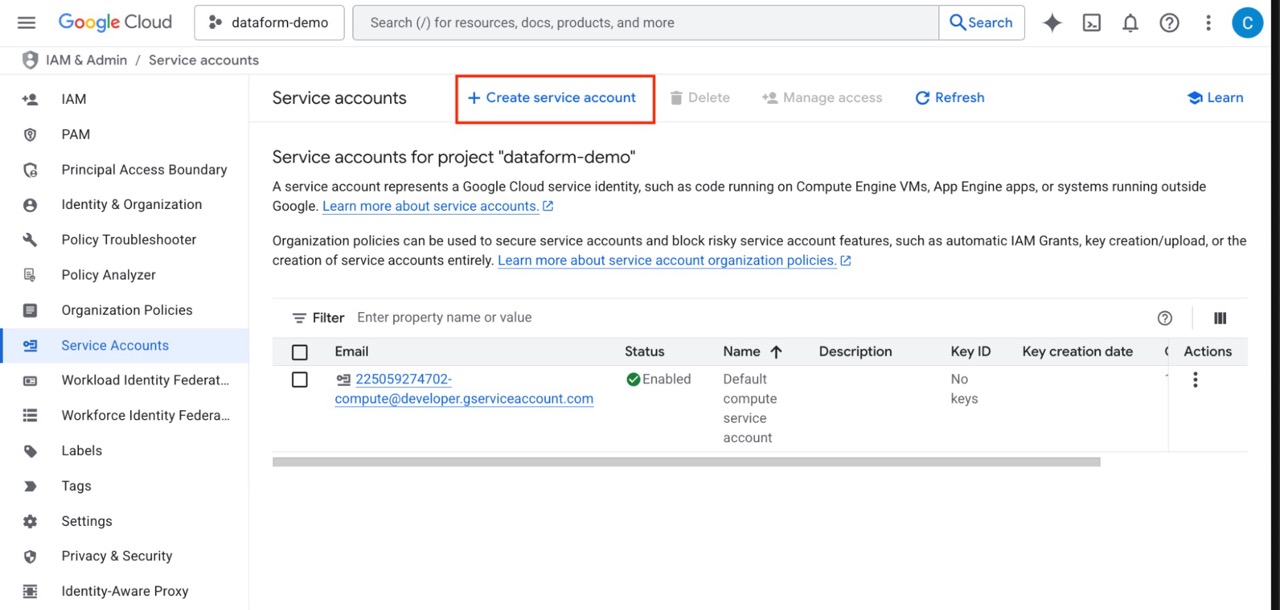
Go to IAM & Admin → Service Accounts, then click Create Service Account.
Set Permissions For Your New Custom Service Account
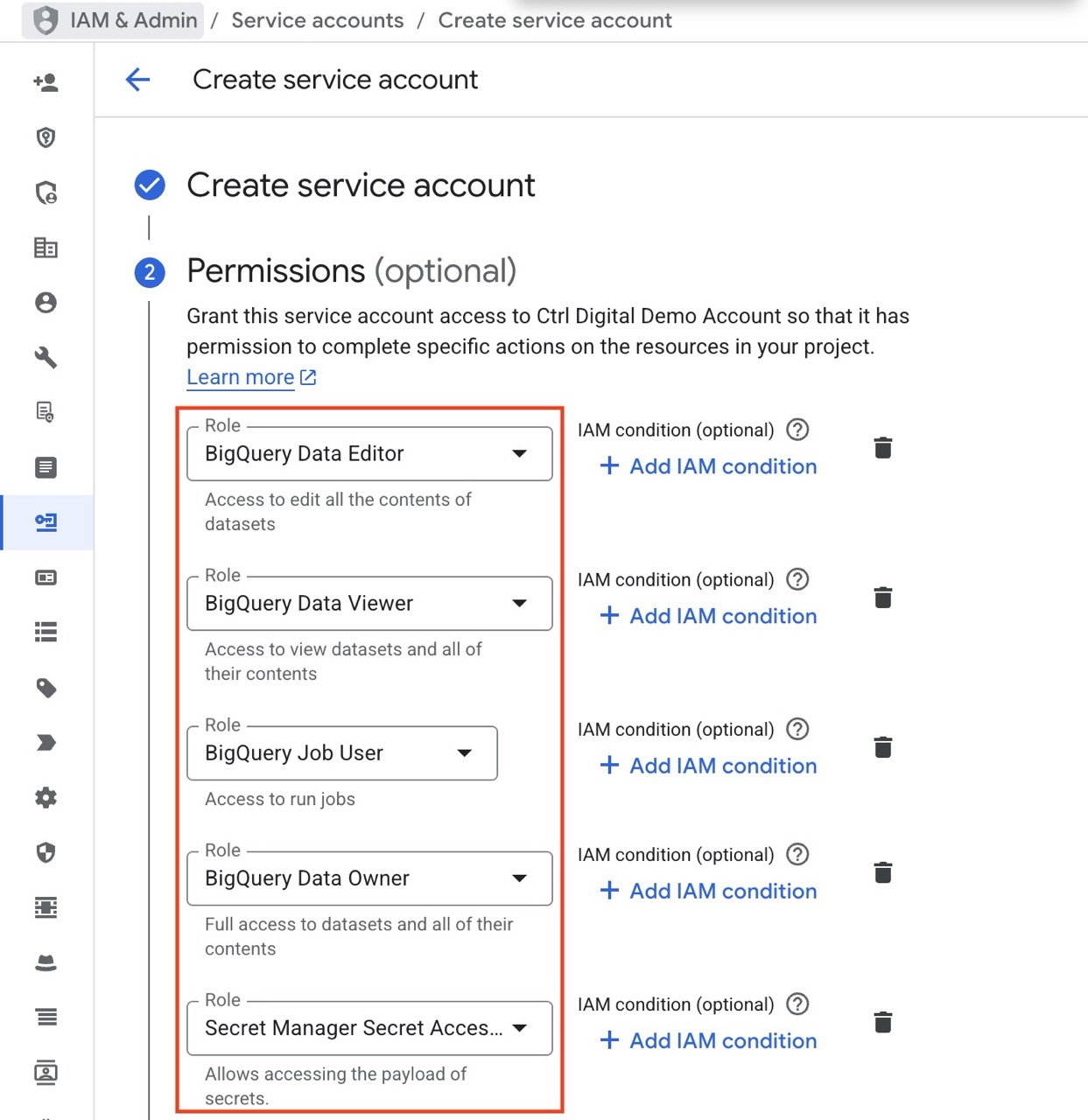
Give the new Service Account the necessary permissions to operate Dataform, BigQuery and access the secret tokens for GitHub.
Grant Access To The Built-in Dataform Service Account
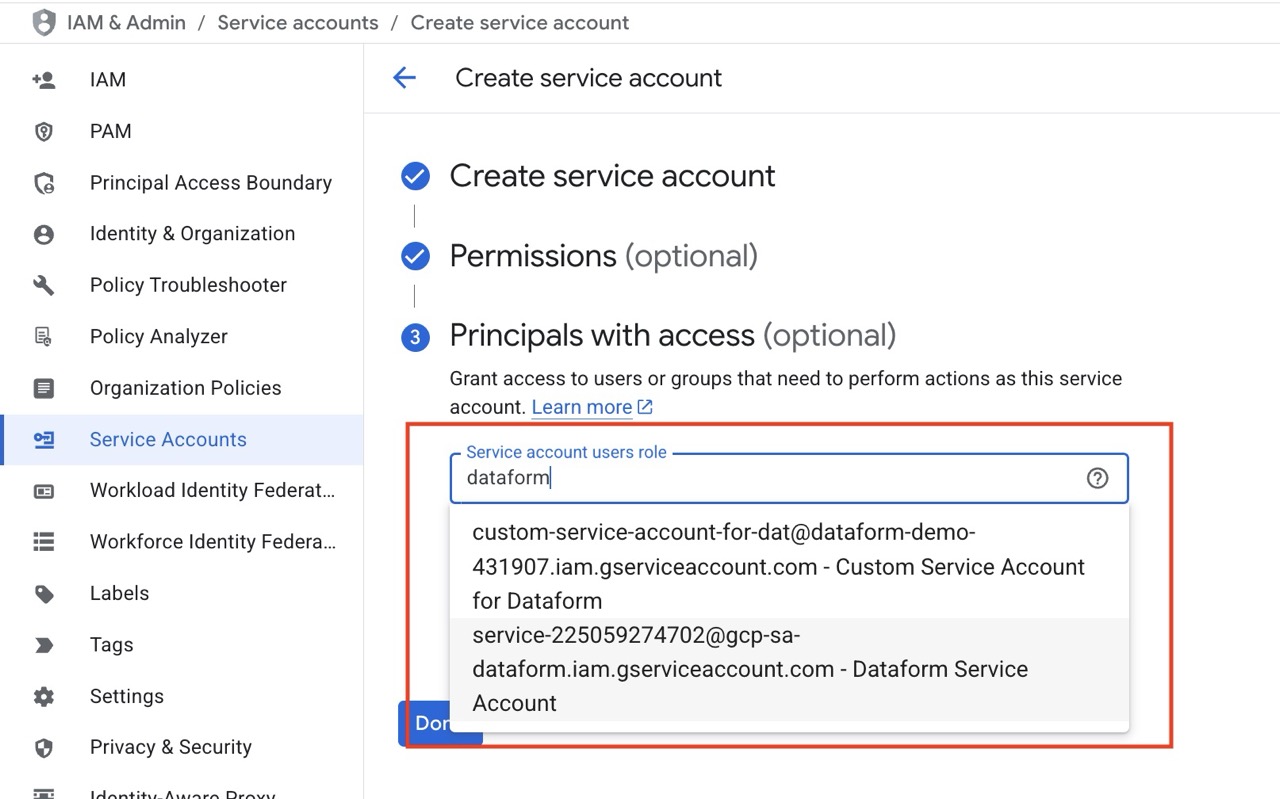
Give the built-in Dataform service account access to your newly created service account. The built-in account follows this format: service-
Click Done.
Grant Your Service Account Access To Git Secrets
Dataform reads your Git token from Secret Manager using its default service agent.
Even with act-as for BigQuery, the Git secret is not read by the execution service account. You must grant the Dataform service agent access to that specific secret.
To give your custom Service Account to the Git token:
- Go to Secret Manager. Open the secret you configured for the Git token.
- Permissions tab. Grant access.
- Add principal service-
@gcp-sa-dataform.iam.gserviceaccount.com - Give role Secret Manager Secret Accessor roles/secretmanager.secretAccessor on this secret.
- Save.
Your new Service account is now ready for use in Dataform.
Next step is to either create a new Dataform Repository or update an already existing, both are described below.
Create A New Dataform Repository Enforcing actAs
When creating a new Dataform repository, change Service Account to your new custom account and select Enforce ActAs permission checks.
Click Create.
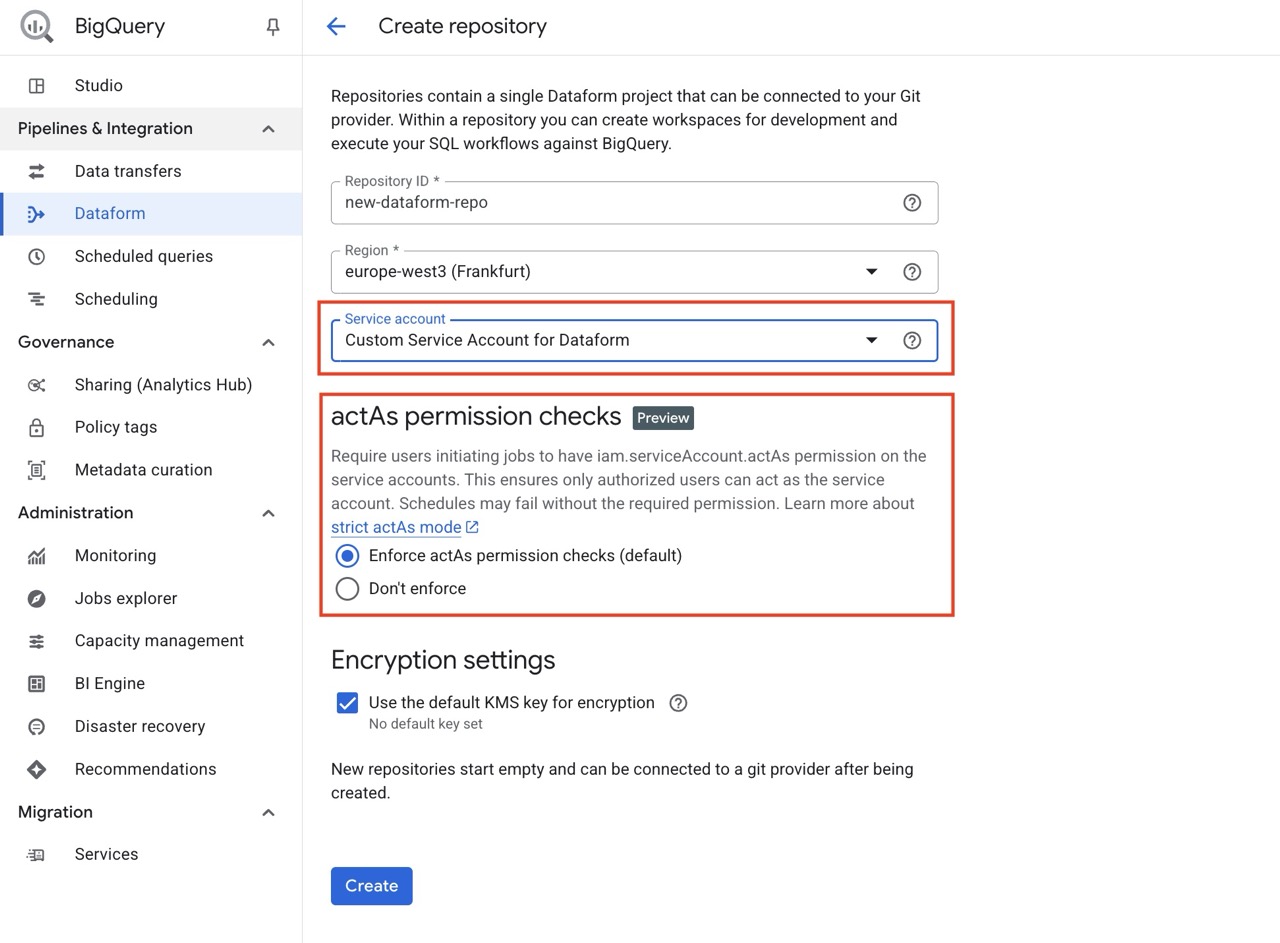
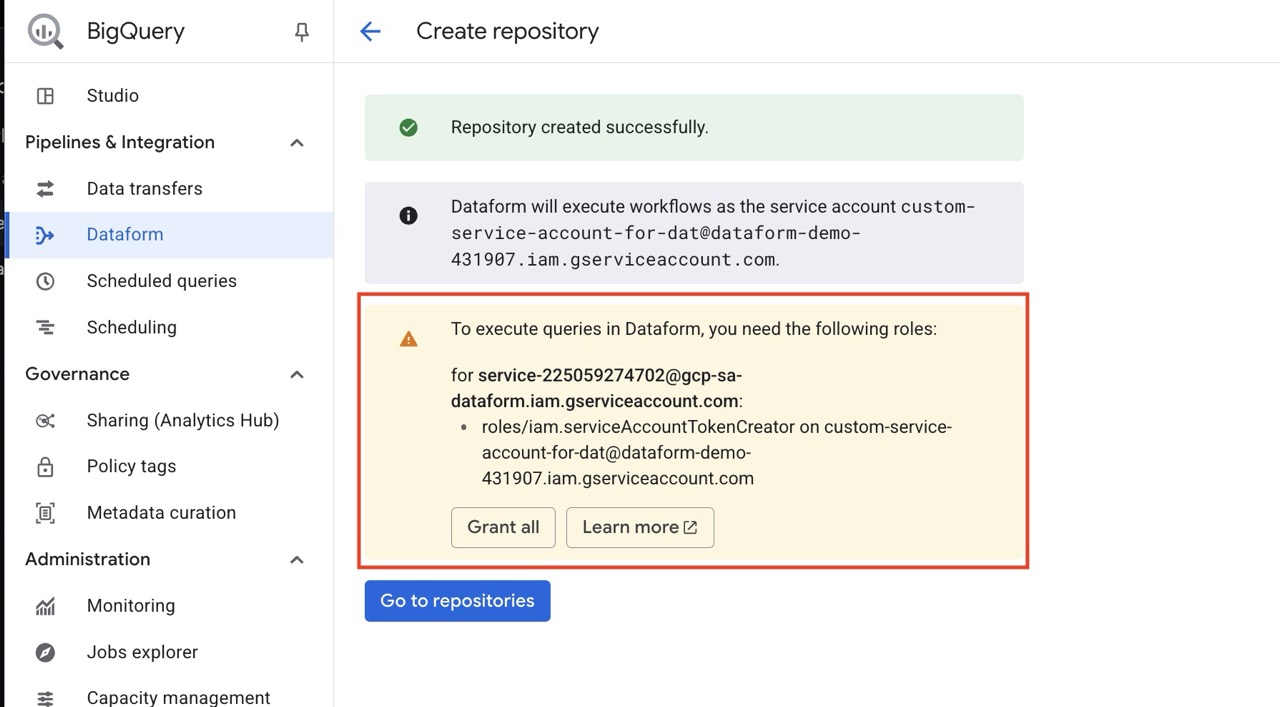
You may be prompted about giving the built-in Service account access to use your custom Service Account (actAs).
Click Grant all.
Update An Already Existing Dataform Repository To Enforce actAs
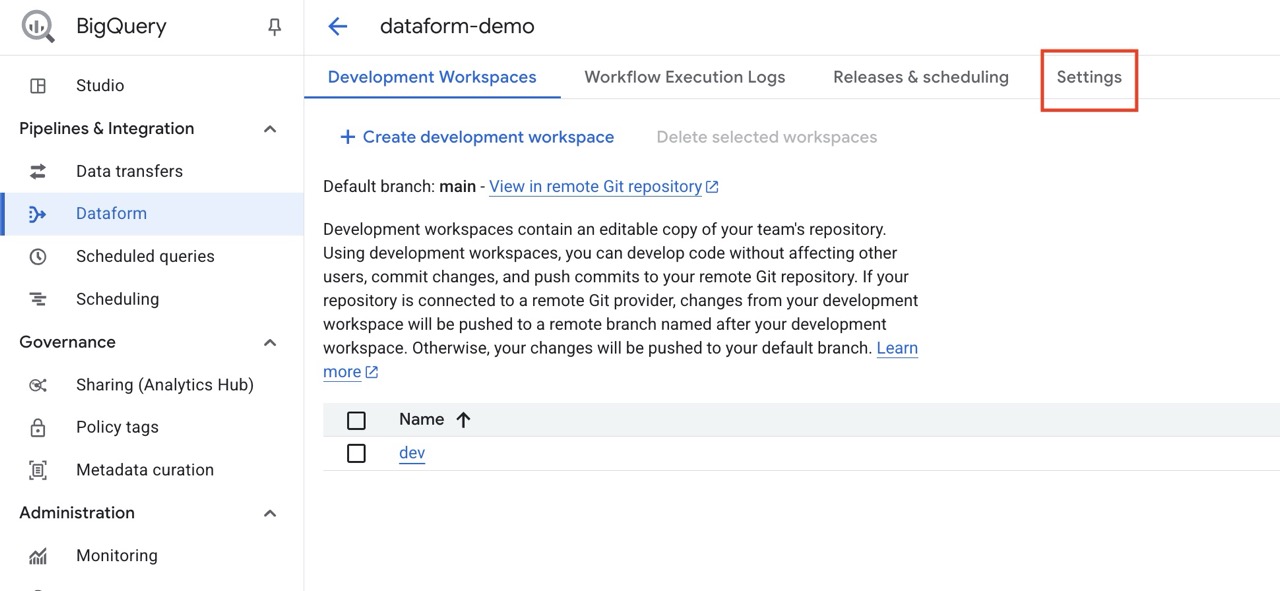
If you already have created a Dataform repository without actAs enforcement, it´s easy to update. Head in to the Settings tab on your Dataform repository.
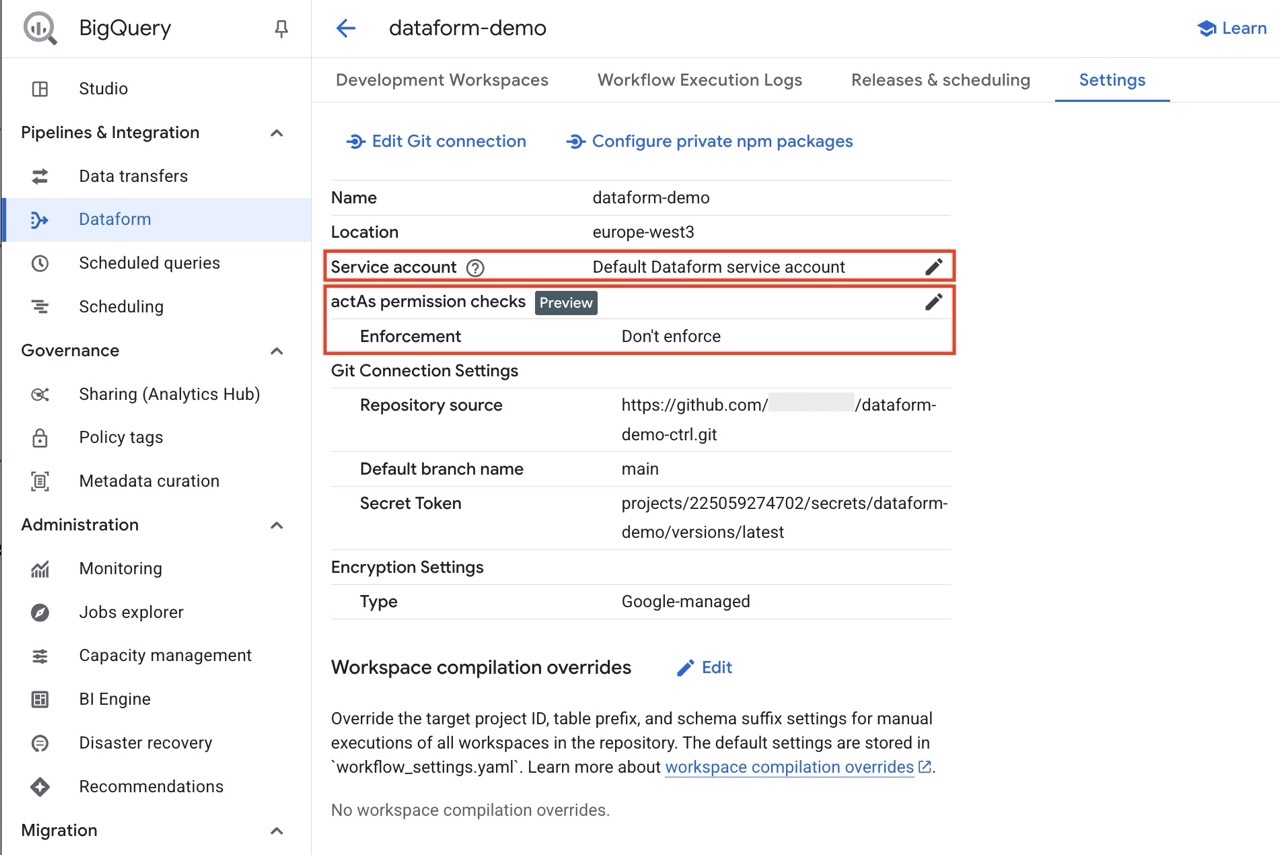
Change Service Account to your new custom account, change Enforcement to Enforce ActAs permission checks.
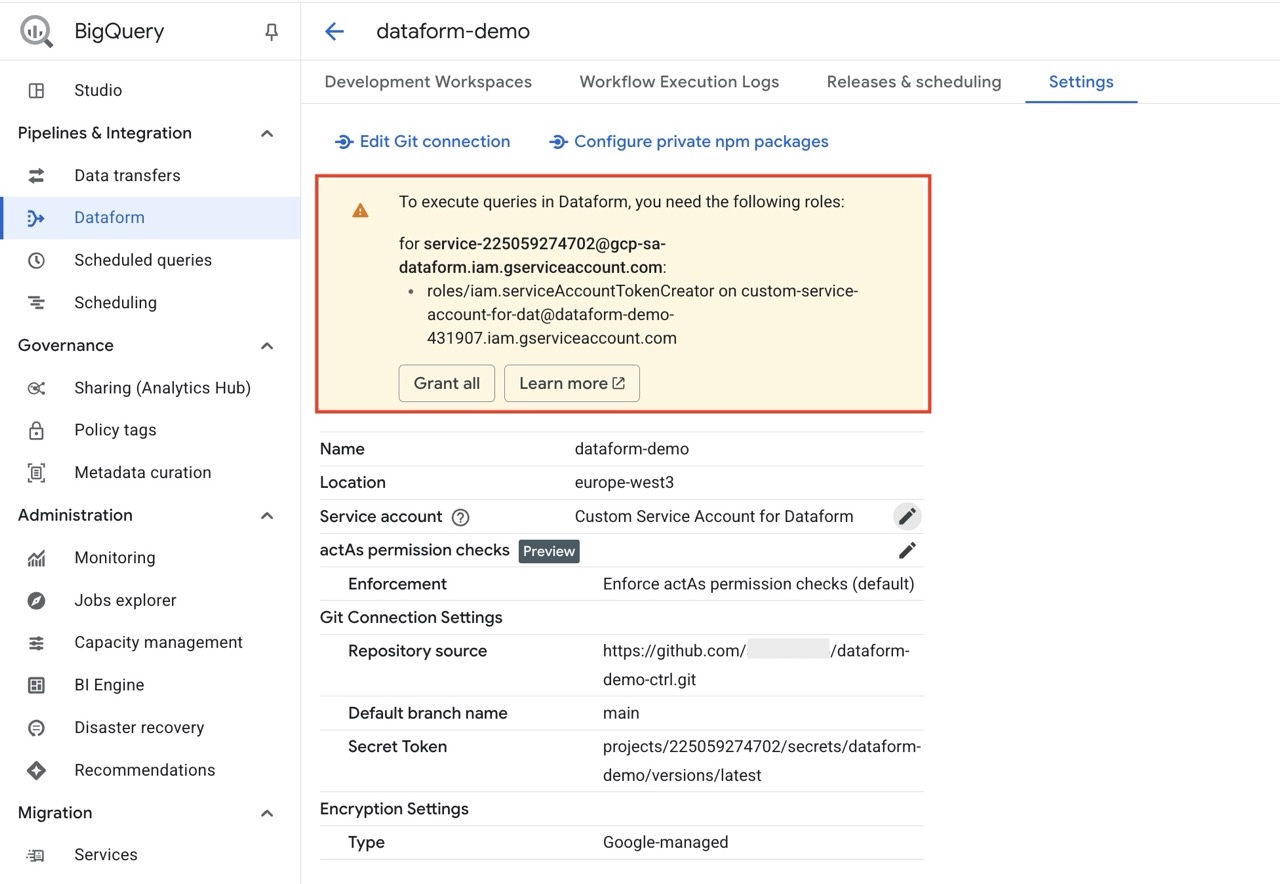
You may be prompted about giving the built-in Service account access to use your custom Service Account (actAs).
Click Grant all.
Try executing a workflow in Dataform using your new Service Account. It should run successfully and you are all set.
Summary For Dataform Repository actAs
To prepare for Google’s upcoming actAs enforcement, make sure your Dataform repositories use a dedicated service account with the correct permissions and that all Git secrets in Secret Manager are properly configured. This setup ensures secure and reliable workflows once the new rules take effect in 2026.
At Ctrl Digital, we have long experience working with Dataform and BigQuery. If you need help setting up or updating your configuration, reach out to us at [email protected].