
Backfill Aggregated Google Analytics 4 Data to BigQuery

When you connect Google Analytics 4 to BigQuery, the raw event export only starts from the day you activate the link. But what if you need to analyze historical GA4 data that existed before the connection was made?
In the past, accessing this historical data meant writing custom scripts, running complex API calls, and dealing with various technical errors along the way. Now, there’s an easier, no-code solution that allows you to backfill your GA4 data directly inside a built-in BigQuery Data Transfer without any programming required.
Benefits Of The GA4 Backfill To BigQuery Through The Data Transfer
To backfill means to add historical data retroactively, essentially filling in the gap that existed before your GA4-BigQuery link was created. You can analyze longer time periods to identify trends and patterns that span across months or even years.
It becomes possible to create more complete and accurate reports that don’t arbitrarily start from your connection date. In short, backfilling gives you more insights without requiring any scripts or coding knowledge.
How Does The BigQuery GA4 Backfill Process Works?
The BigQuery Data Transfer Service now supports GA4 backfill directly through its interface, eliminating the need for external code or API integrations. The process is straightforward and user-friendly.
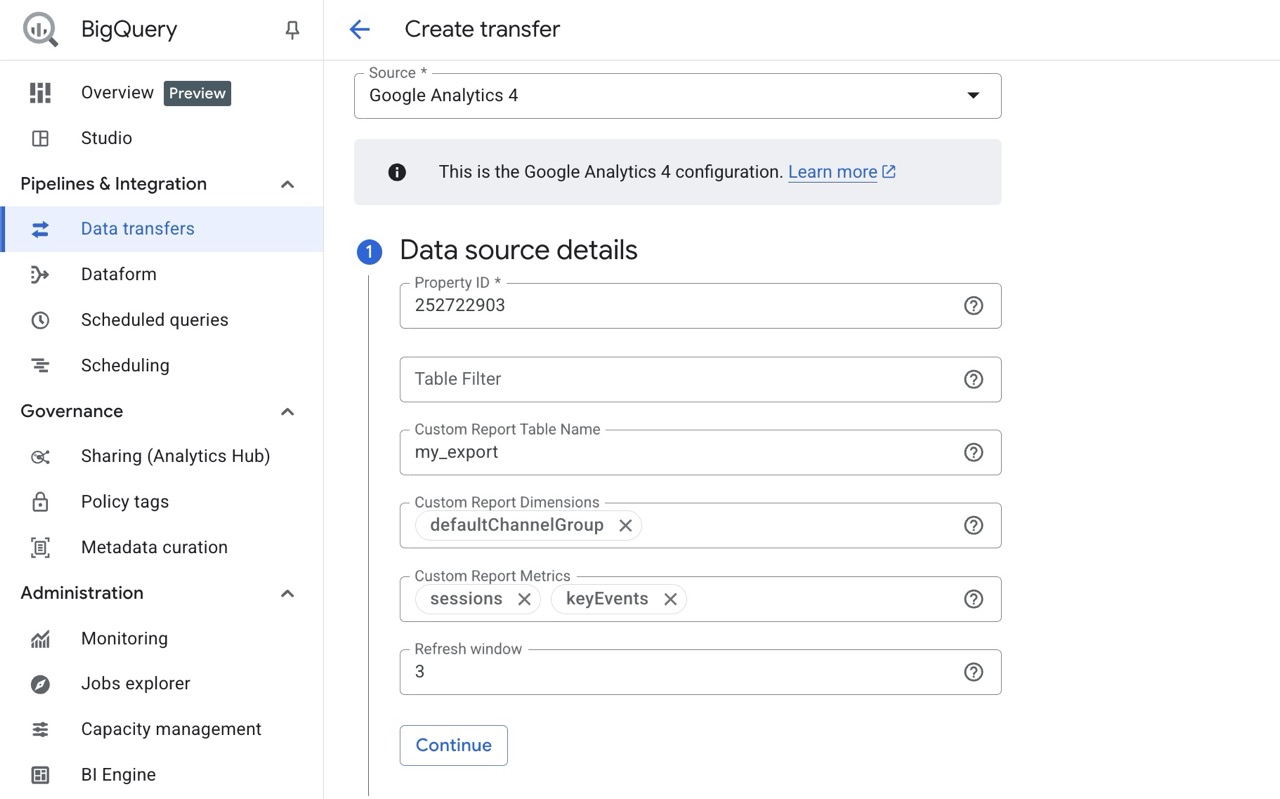
In BigQuery Studio, open Data Transfers in the left menu. Then select Create transfer and choose Google Analytics 4 as the data source.
You choose the dimensions and metrics that are relevant to your analysis needs. Then you fill in the setup form and schedule your transfer according to your requirements.
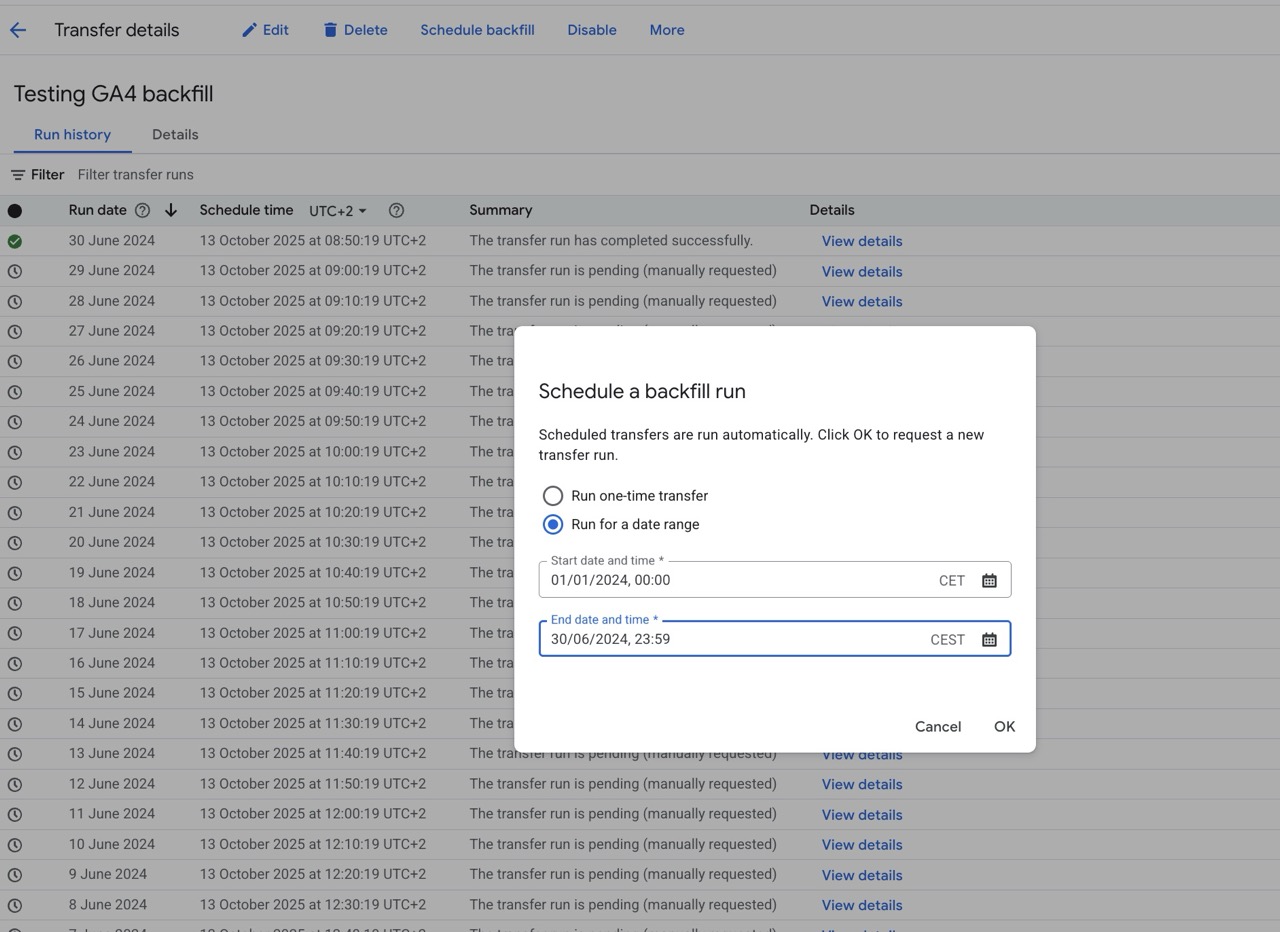
Finally, you hit “Schedule Backfill” to import historical data, which can retrieve up to 180 days at a time.
A helpful tip when getting started is to begin with smaller datasets to confirm your setup is working correctly before scheduling larger backfills. This approach helps you catch any configuration issues early and ensures your historical data import runs smoothly when you scale up.
Important Considerations For GA4 Backfill Through BigQuery Data Transfer
There are several factors to keep in mind when working with GA4 backfill in BigQuery.
- Not all dimension and metric combinations are compatible. GA4 has specific limitations on which dimensions and metrics can be used together in a single query or export. Use the (GA4 Query Explorerhttps://ga-dev-tools.google/ga4/query-explorer/) and consider splitting your exports into smaller, separate transfers that use compatible combinations.
- The internal dimension names used by the API often differ from what you see in the GA4 user interface. To avoid issues, use the GA4 Query Explorer tool to confirm the exact internal identifiers before scheduling your transfer.
- While setting up the technical aspects of the transfer is relatively easy, the analytical context matters. Choosing the right dimensions and metrics depends entirely on what you actually want to analyze and which business questions you’re trying to answer. Think about your analytics goals before you start the backfill process.
The Value Of Historical GA4 Data In BigQuery
With GA4 backfill in BigQuery Data Transfer, you can finally access historical GA4 data for multiple important purposes. It enables richer reporting that provides a complete picture of your website or app performance over time. You gain the ability to conduct deeper analysis by examining trends and patterns that extend back before your BigQuery connection date. You can also create more accurate forecasting models that are based on comprehensive historical data rather than limited recent snapshots.
The next time you find yourself missing historical GA4 data for an important analysis or report, remember that the solution is already built into BigQuery.
How GA4 Aggregated Data Transfer Complements GA4 Event Export
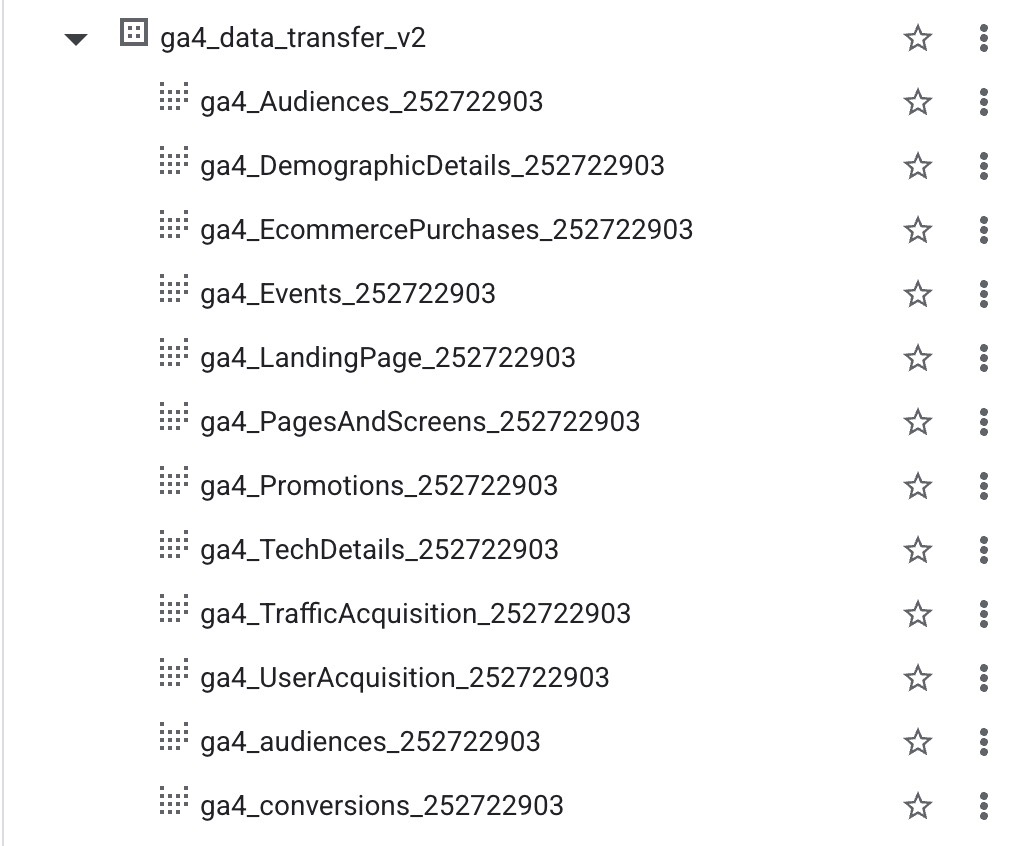
It’s worth understanding how the Data Transfer relates to the standard GA4 event export feature. While the GA4 built-in event export exports event-level data into BigQuery, the Data Transfer feature lets you retrieve historical aggregated data from the same analytics source.
The event export gives you event-level precision and granular details about individual user interactions, while data transfer adds the historical context and aggregated insights that extend before your export connection was established.
Together, they ensure you have both the depth and breadth of data needed for comprehensive analytics.
Summary Of The GA4 Aggregated Data Transfer To BigQuery
Backfilling aggregated GA4 data to BigQuery allows you to unlock valuable historical insights without writing any scripts or dealing with APIs. By using BigQuery’s built-in Data Transfer feature, you can easily fill data gaps, analyze long-term trends, and build more accurate reports that go beyond your connection date.
At Ctrl Digital, we’ve worked extensively with Google Analytics 4 and BigQuery, helping companies structure, analyze, and make sense of complex datasets. If you need help setting up or optimizing your GA4–BigQuery setup, reach out to us at [email protected], we’re happy to help.